Looking for On-Demand Tech Support?
Techmate has the boots-on-the-ground IT Support where and when you need it.
Schedule a Discovery Call
Quick answer: A new office is IT-ready when the network, Wi-Fi, conference rooms, workstations, printers and access systems have been installed and tested in person before employees arrive. Start eight to twelve weeks out. Techmate provides onsite IT support services in 450+ US cities, so a vetted local technician can handle setup and testing anywhere.
There is a very specific kind of panic that happens on the morning a new office opens. The furniture looks great. The snacks are stocked. Someone hung a motivational poster in the break room. And then an employee tries to join their first Zoom call and the Wi-Fi does not exist yet.
IT readiness is the part of a new office launch that gets treated like an afterthought, right up until it becomes the only thing anyone is talking about. And companies are opening and moving offices again: CBRE reported 63.8 million square feet of US office leasing in Q3 2026, up 4% year over year (CBRE, 2026). Every one of those leases ends with a move-in day. Here is what actually needs to happen before employees walk through the door, not after, and how to plan onsite IT support services so someone is physically there to make it work.
Most opening-day failures are timeline failures. The ISP circuit was ordered too late, the cabling contractor showed up after the furniture, or nobody tested the conference rooms until the first client call. Work backward from move-in day:
| When | What to do | Why it matters |
|---|---|---|
| 8 to 12 weeks out | Order ISP circuits (primary and backup), confirm the demarc location, finalize the floor plan with drop locations | Circuit installs often take the longest and are outside your control |
| 6 to 8 weeks out | Run a site survey, plan the network closet, approve the cabling plan and AP placement | Cabling has to go in before ceilings close and furniture arrives |
| 4 to 6 weeks out | Cabling install and certification, order network gear, AV equipment, printers and workstations | Leaves time for back-ordered hardware and re-pulls |
| 2 to 4 weeks out | Book onsite IT support services for install days, rack and stack, configure firewall, switches and Wi-Fi, install AV and access control | Remote engineers can configure while a technician handles the physical work |
| 1 to 2 weeks out | Deploy workstations and printers, label everything, full test pass in every room | Finds problems while the office is still empty |
| Move-in day and week one | Onsite technician for day-one support, then a follow-up visit | Catches the issues that only appear once people are using the space |
If you are using an existing space that has already been wired, our onsite IT support site readiness checklist covers what to confirm before the first technician visit.
Before you think about desks or monitors, think about the network. Every device, every printer, every video call, every badge reader eventually depends on it.
At minimum, a new office needs connectivity confirmed and proper setup and configuration completed, and if the space uses any environmental or occupancy sensors, those need to be accounted for too. Techmate’s network services page lists exactly these categories, connectivity, setup and configuration, sensors, and rack and stack, as the core building blocks of getting a location online and functional.
Configuration is where new offices quietly break. Uptime Institute’s 2025 outage analysis found that IT and networking issues caused 23% of impactful outages, and linked the rise to growing complexity, change management problems and misconfigurations (Uptime Institute via Business Wire, 2025). A new site is one big change, so treat it like one: use a standard configuration template, document every change and test failover before you need it.
A practical network checklist for a new office:
If your office has a server closet or equipment rack, this is where physical cabling standards matter more than people expect. The Telecommunications Industry Association maintains the commercial building telecommunications cabling standard, which exists precisely because inconsistent or poorly planned cabling causes headaches for years after the fact. Getting it right once during buildout saves a lot of crawling under desks later.
Cabling should be planned around where desks and equipment will actually sit, not routed around furniture that has not arrived yet. Nothing tests your patience quite like realizing the network drop is on the wrong side of the room after the desks are already bolted down. A few rules that save trouble later:
If your new office involves moving equipment from an old location rather than starting completely from scratch, this gets more complicated. Our earlier piece on IT relocation and office moves covers the full process of safely transporting and reinstalling equipment, including the risks of data loss and downtime if it is not handled carefully.
Conference rooms are where new offices tend to embarrass themselves. Everything looks polished until someone tries to start a client call and the room camera will not connect to anything.
Techmate’s audio visual support page specifically calls out Polycom and Crestron hardware along with Zoom, Teams and WebEx as platforms that need to actually work together, not just exist in the same room. A conference room is not done just because a TV is mounted on the wall. Someone needs to test that the room camera, the microphone, the display and whatever conferencing software your company uses all cooperate with each other, ideally before a client is on the other end of the call watching it fail live.
For each room, test:
For room standards you can repeat across locations, see the conference room standards checklist.
Setting up workstations feels like the easy part, but it is also where small mistakes multiply fast when you are outfitting an entire office at once instead of a single desk.
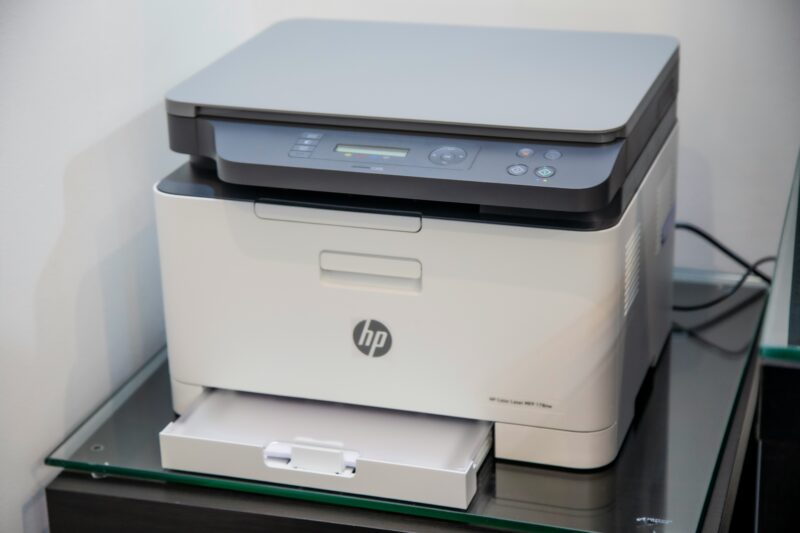
Every workstation needs to be imaged or enrolled consistently, connected to the network correctly and tested before an employee ever sits down. The same goes for printers, which have a mysterious talent for being the one device that refuses to cooperate no matter how many times you turn them off and on again.
| Item | Done means |
|---|---|
| Laptops and desktops | Enrolled in device management, updated, test login completed as a standard user |
| Docks and monitors | Every desk tested with a company laptop, cables tidied and labeled |
| Phones and headsets | Registered, test call placed, voicemail working |
| Printers and MFPs | On the right network, drivers deployed, print, scan-to-email and secure release tested |
| Spares | A small stock of chargers, cables, mice, keyboards and a loaner laptop on site |
For hardware installs and replacements at scale, onsite hardware support covers the physical side while your team handles images and policies remotely.
Badge readers, door locks and building access systems tend to get bolted on right before opening day, sometimes literally. But access control deserves more thought than “make sure the door unlocks.”
Guidance from the Cybersecurity and Infrastructure Security Agency on facility access control emphasizes standardization and consistency, noting that having a clear, uniform approach to access control allows for better evaluation and ongoing refinement over time. Translation: do not wing it. Decide who gets access to what areas, test the system before day one, and make sure whoever is managing the building understands how to add and remove access as your headcount changes. Make sure the network closet is on the access list too, with only the people who actually need it.
Here is the step that separates a smooth opening from a chaotic one. Test everything while the office is still empty.
Gartner’s guidance for IT leaders preparing a workplace for employees emphasizes exactly this kind of proactive readiness, focusing on the immediate actions technology leaders should prioritize before people are relying on the systems day to day. Run a real video call in every conference room. Print an actual document on every printer. Log into a workstation exactly the way a new employee will. Walk the floor with a phone running a Wi-Fi test. It is far better to discover a broken connection while the office is quiet than during someone’s first all-hands meeting.
Have the technician record results in a simple sign-off sheet: room or device, test performed, pass or fail, photo and notes. That sheet becomes the baseline site profile for every future visit.
Yes. The single biggest mistake companies make is treating a new office opening as a remote IT task. It is not. Someone needs to be physically present, walking the space, testing devices in the actual rooms they will be used in, not just checking a network dashboard from a laptop three states away.
This is exactly the gap Techmate exists to fill, connecting businesses with vetted local technicians who can be onsite handling setup and testing in person. Rather than flying your own IT team across the country or hoping a new office manager figures out the audiovisual system on the fly, you can schedule onsite IT support services for exactly the days you need them. Your network team configures remotely, and the IT field technician handles rack and stack, cabling checks, device setup and room testing while on a call with them. See how Techmate dispatch works for how those visits are requested and reported.
Companies with branch networks, regional offices or a steady pipeline of new locations need a repeatable playbook, not a one-off project. Multi-location IT support teams that open offices smoothly usually:
Openings and moves fit naturally under IT project and rollout field support, and you can check onsite IT support locations to confirm coverage in the cities on your expansion plan.
A pre-opening IT site survey catches most of these before they become move-in problems.
A new office opening involves more moving parts than most people expect until they are the one responsible for it. Network setup, conference room testing, workstation and printer readiness, access control and physical cabling all need to happen before day one, not during it. The offices that open smoothly are the ones where someone tested everything in an empty room, not the ones hoping it all works out once people show up.
If you have a new location opening soon and want it to actually be ready on day one, Techmate can connect you with a vetted local technician to handle setup and testing in advance. Reach out to schedule a walkthrough and take the guesswork out of your next opening day.
Ideally eight to twelve weeks before move-in, starting with the internet circuit order, since carrier installs are often the longest lead item. Cabling, network setup and access control need several weeks more if they must be installed rather than just configured. Rushing this timeline is how offices end up opening with half-finished conference rooms.
Remote access works for a lot of ongoing support, but initial setup and testing benefit enormously from someone physically in the room. Racking equipment, checking cabling, testing Wi-Fi in each corner and diagnosing conference room audio and video problems are all much faster in person than over a screen share.
Testing conference room technology under real conditions. Plenty of offices confirm the Wi-Fi works but skip placing a real test call through the room’s camera and microphone setup, which is usually where the first problem shows up. Backup internet that has never been tested is a close second.
At minimum: the ISP handoff, firewall, switches, a patch panel, a UPS for critical equipment and clear labeling. The closet should have ventilation, a lock and no non-IT storage. Take front and rear photos of the rack and keep the cable test results, so future technicians know exactly what they are walking into.
Walk every room with a checklist. Place a real call in each conference room, print and scan on every device, log into a workstation as a standard user, test Wi-Fi throughout the space and unplug the primary internet circuit to confirm failover. Record pass or fail with photos in a sign-off sheet.
Yes. Techmate’s model is built around dispatching vetted local technicians to wherever your new location happens to be, across 450+ US cities, so you are not limited to cities where you already have IT staff. Your team keeps control of configuration while the technician handles the physical work.
Planning an opening or a move? Book a free 30-minute IT support audit and we will walk through your timeline, site details and coverage so your next office is ready on day one.